
Visual Decision and Revision Logs
A concept preview can look persuasive while leaving the decision itself unclear. The team may see a strong focal point, a clean brand hierarchy, or an inviting meeting threshold, yet still disagree about what should change and why.
A design decision log gives that disagreement a usable shape. It records the visual option under review, the visitor position being considered, the question behind the review, the available evidence, the unresolved issue, and the next handoff.
This is a review record, not an approval record. An image can show a current visual direction, but it does not establish venue requirements, structural suitability, accessibility, image permission, technical specifications, or commercial performance.

What a Design Decision Log Records
A useful log connects a visible design choice with the question it is meant to answer. It keeps alternatives and open questions visible after the meeting ends.
For an exhibition concept, one entry might contain:
- Review question: What should a visitor recognize first from the main aisle?
- Approach angle: The position or direction from which the concept is being judged.
- Visible option: The arrangement of graphics, products, structures, lighting, or activity cues shown in the material.
- Alternative considered: Another arrangement addressing the same question.
- Criterion: The project requirement or communication goal used for comparison.
- Source record: The brief, campaign asset, supplied image, brand instruction, or other documented input.
- Observation: What the image or board visibly shows.
- Interpretation: What the team believes a visitor may recognize from that position.
- Unresolved question: What remains unknown or needs another role to answer.
- Revision status: Whether the item is open, revised, deferred, or routed.
- Next handoff: The project role expected to respond.
The distinction between observation and interpretation matters. “The product image occupies the largest uninterrupted area” is an observation. “The product will therefore become the visitor’s focal point” is a stronger interpretation that depends on the approach angle and competing cues.
Keep those statements separate in the record.
Read the Concept From the Visitor View
The same booth concept can communicate differently from the aisle, the zone threshold, the demo edge, and the approach to a meeting area. Each entry should name its viewpoint rather than treating the concept as one neutral image.
Main Aisle Approach
From the main aisle, record the cues visible before a visitor reaches the stand. The board may show a high-level brand message, a raised graphic, a product display, or an opening into the stand.
Ask:
- What is visible first from this approach angle?
- Which message remains legible at the current image scale?
- Does the focal point belong to the campaign, the product, the demo activity, or the meeting invitation?
- Which parts of the concept are hidden or ambiguous from this view?
- Is the material showing visual direction or a developed specification?
Record what the concept makes possible to inspect. Leave actual visitor response for a later review supported by appropriate project information.
Zone Threshold
A zone threshold is the point where a visitor appears to move from one area into another, such as from the aisle toward a demonstration or meeting space.
Compare the cues that distinguish the zones. A threshold may be indicated by a change in graphic treatment, a product position, an opening, a counter, or a shift in lighting shown by the preview.
- The cue that marks the threshold.
- The approach angle used for the comparison.
- The intended activity associated with the zone.
- Any nearby focal point competing with that cue.
- The question assigned to the designer, supplier, organizer, or another responsible role.
The preview represents an intended arrangement. It does not establish how the completed space will function.
Demo Edge and Meeting Approach
At the demo edge, examine what the concept makes visible around the demonstration area. A product, screen, presenter position, or supporting message may compete for attention.
At the meeting approach, inspect whether the visual hierarchy identifies the intended destination without assuming that the image predicts visitor movement or dwell time.
Compare alternatives under the same conditions:
- The same visitor position.
- The same campaign objective.
- The same zone requirement.
- The same review stage.
- The same known source material.
If one option changes the demo position and the focal graphic at the same time, record both changes. The comparison then contains more than one variable.
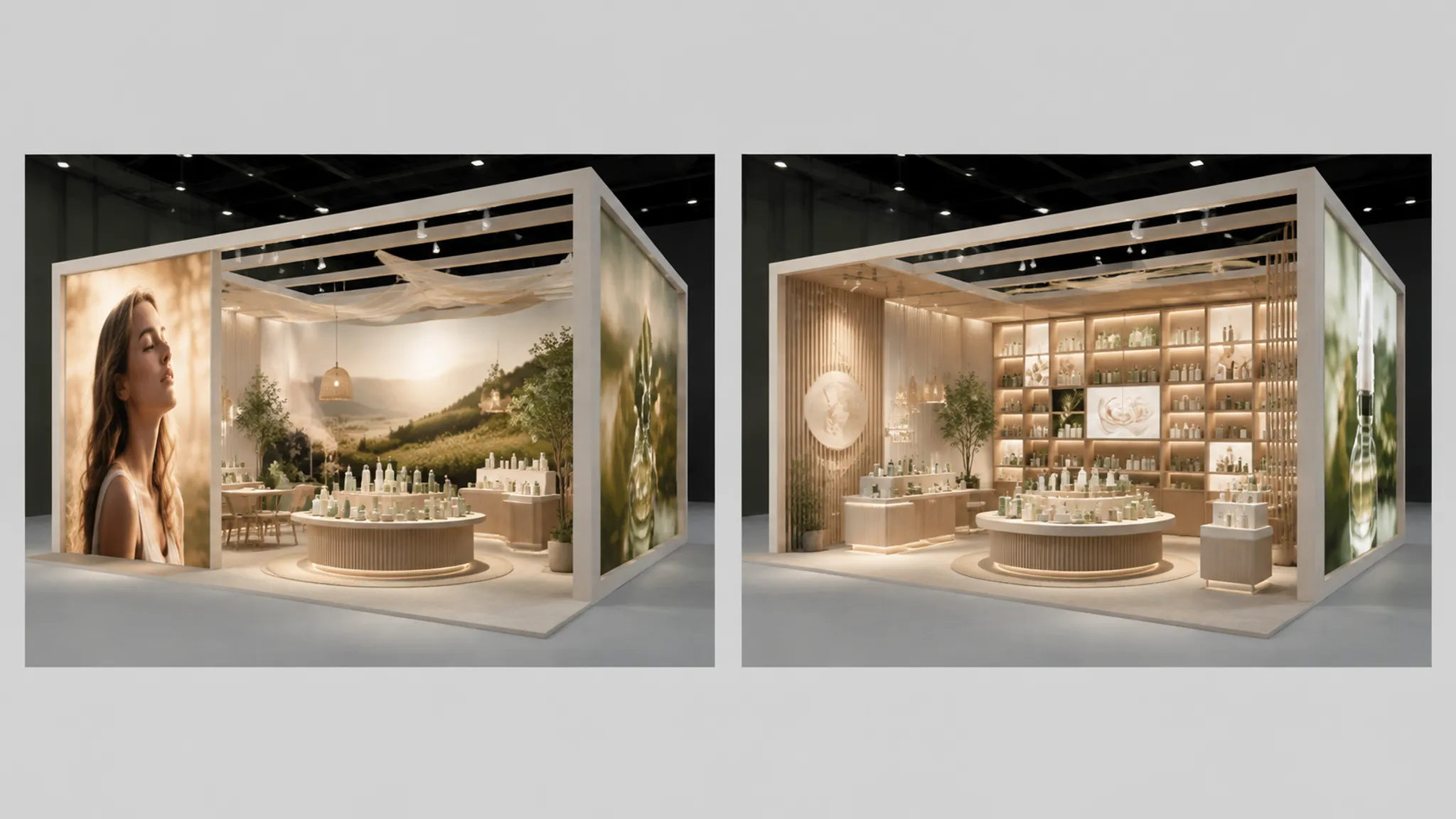
Compare Alternatives Around One Question
A design options review log should not become a gallery of disconnected images. Each option needs a common question and a clear reason for inclusion.
Question: Which visual arrangement gives the campaign message a clear position at the meeting approach?
| Review item | Option A | Option B |
|---|---|---|
| Primary focal point | Large campaign graphic | Product and supporting message |
| Meeting approach | More visually open in the preview | More strongly framed by graphics |
| Brand hierarchy | Campaign-led | Product-led |
| Source status | Supplied campaign asset identified | Product imagery source status unknown |
| Unresolved issue | Message scale still needs confirmation | Image permission and final asset status need confirmation |
| Next handoff | Design team to compare hierarchy | Asset owner or rights holder to confirm source status |
This table does not decide which option is correct. It makes the decision visible enough for the team to discuss the same variables.
Useful evidence language includes:
- “The image shows...”
- “From this approach angle...”
- “The board identifies...”
- “The current concept suggests...”
- “The source record confirms...”
- “The preview does not establish...”
- “The dimension or permission status is unknown.”
A clear render is not a complete specification.
Separate Features, Requirements, and Evidence
A visible feature is not proof that a requirement has been met. The feature is what the concept depicts, the requirement is what the brief asks that feature to address, and the evidence is the documented material used to discuss the choice.
- Feature: A suspended brand graphic appears above the main visitor approach.
- Requirement: The brief identifies a need for a clear brand focal point.
- Evidence: The campaign board or supplied brand instruction referenced during review.
- Open question: Dimensions, venue restrictions, attachment details, and approval status are not established by the image.
A second entry might record a product display beside the demo zone. The brief may identify the product as part of the intended demonstration, while the current concept shows only its position and relationship to nearby graphics.
Technical and venue-related implications belong with the appointed supplier or organizer. The log should identify the question without answering it beyond the material available.
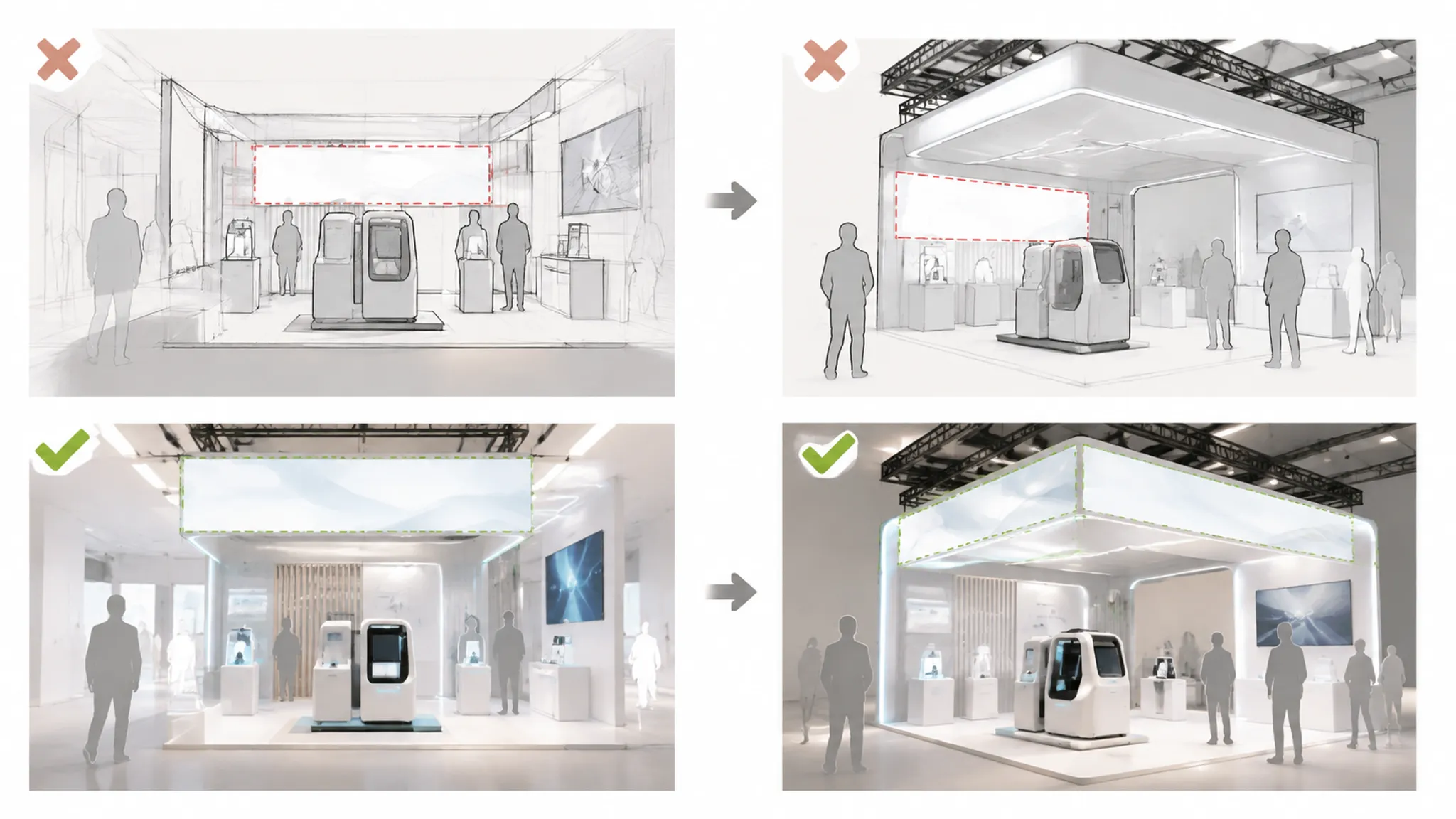
Record Revisions as Changes in Meaning
A revision log becomes more useful when it explains what changed in the visual decision, rather than only showing which file is newer.
- Previous state: What the earlier concept showed from the selected approach angle.
- Revision: Which visual element changed.
- Reason: The question, objection, brief requirement, or source issue that prompted the change.
- Remaining uncertainty: What the revision still does not answer.
For example, a campaign headline may have appeared behind the demo display, then moved into the upper field visible from the aisle. The reason may be a review question about the first visible brand cue. The remaining uncertainty could concern final legibility at the event distance or venue restrictions, neither of which the preview establishes.
Do not describe every revision as an improvement. A change may resolve one concern while introducing another. Preserve that tradeoff so the next reviewer can understand the reasoning.
Track Source Status Beside Visual Decisions
Campaign boards and concept previews often combine logos, product images, illustrations, photographs, copy, diagrams, and references supplied by different parties.
A design source record should identify:
- Asset name or description.
- Where the asset came from.
- Which brief or project instruction it relates to.
- Current source status.
- Intended review use.
- Role responsible for confirmation.
- Open permission or replacement question.
“Source identified” is different from “permission confirmed.” “Shown in a concept preview” is different from “approved for final use.” Record the distinction beside the visual choice instead of allowing a polished board to imply a settled source position.
Questions about intended use and authorization should go to the rights holder, asset owner, appointed adviser, or responsible project role.
Route the Next Handoff
“Needs refinement” is too broad to route effectively. A strong log ends with a question another role can act on.
For the Exhibition Designer
- Which focal point is intentional from each named approach angle?
- Which visual cue defines the zone threshold?
- What changed in the brand hierarchy between revisions?
- Which alternative was rejected, and which criterion guided that choice?
- Which parts of the image are illustrative rather than specified?
For the Supplier
- Which depicted elements require dimensions or technical information?
- Which assumptions in the concept need confirmation against the brief?
- Which visual items cannot be assessed from the preview alone?
- What information is required for the next coordination stage?
For the Organizer
- Which venue or event requirements need checking against the concept?
- Which review or submission stage applies to the material?
- Which dimensions, locations, access conditions, or submission requirements remain unknown?
For the Asset Owner or Rights Holder
- Is the source of each campaign or product image documented?
- What usage context is intended?
- Is the current asset final, provisional, or awaiting confirmation?
- Should an asset be replaced while its source status remains unresolved?
A Practical Review Sequence
- Name the review position. State whether the team is reviewing the aisle approach, a zone threshold, the demo edge, or the meeting approach. Add the board or image version.
- State the decision question. Write one question about the focal point, graphic hierarchy, zone boundary, or missing source record.
- Describe the visible option. Record the layout, graphic cues, and zone relationships shown in the material.
- Compare the relevant alternative. Hold the approach angle and criterion constant. List additional differences when more than one variable changes.
- Identify the evidence and its limits. Name the brief, board, supplied asset, or revision note. Mark unknown dimensions, permissions, specifications, and approvals as unknown.
- Record the unresolved question. State what the current material cannot establish and which role can answer or route it.
- Assign the next handoff. Identify the responsible role and the next review stage.
Common Misunderstandings
A convincing preview is not an approval
A polished image can communicate a clear direction. It does not confirm acceptance by a venue, supplier, organizer, or rights holder.
A revision is not automatically a resolution
Moving a graphic or changing a focal point may address one question while leaving source status, dimensions, access conditions, or another hierarchy issue open.
A visible feature is not evidence of performance
The image can show a product position, message, opening, or meeting arrangement. It cannot establish visitor response, dwell time, leads, sales, or return on investment.
A source record is not permission
Knowing where an asset came from helps the team track it. It does not determine whether the intended use is authorized.
A decision log is not a technical review
It can identify questions for a qualified supplier or organizer. It should not determine structural, fire-safety, utility, accessibility, or venue matters.
When the Log Is Ready for Handoff
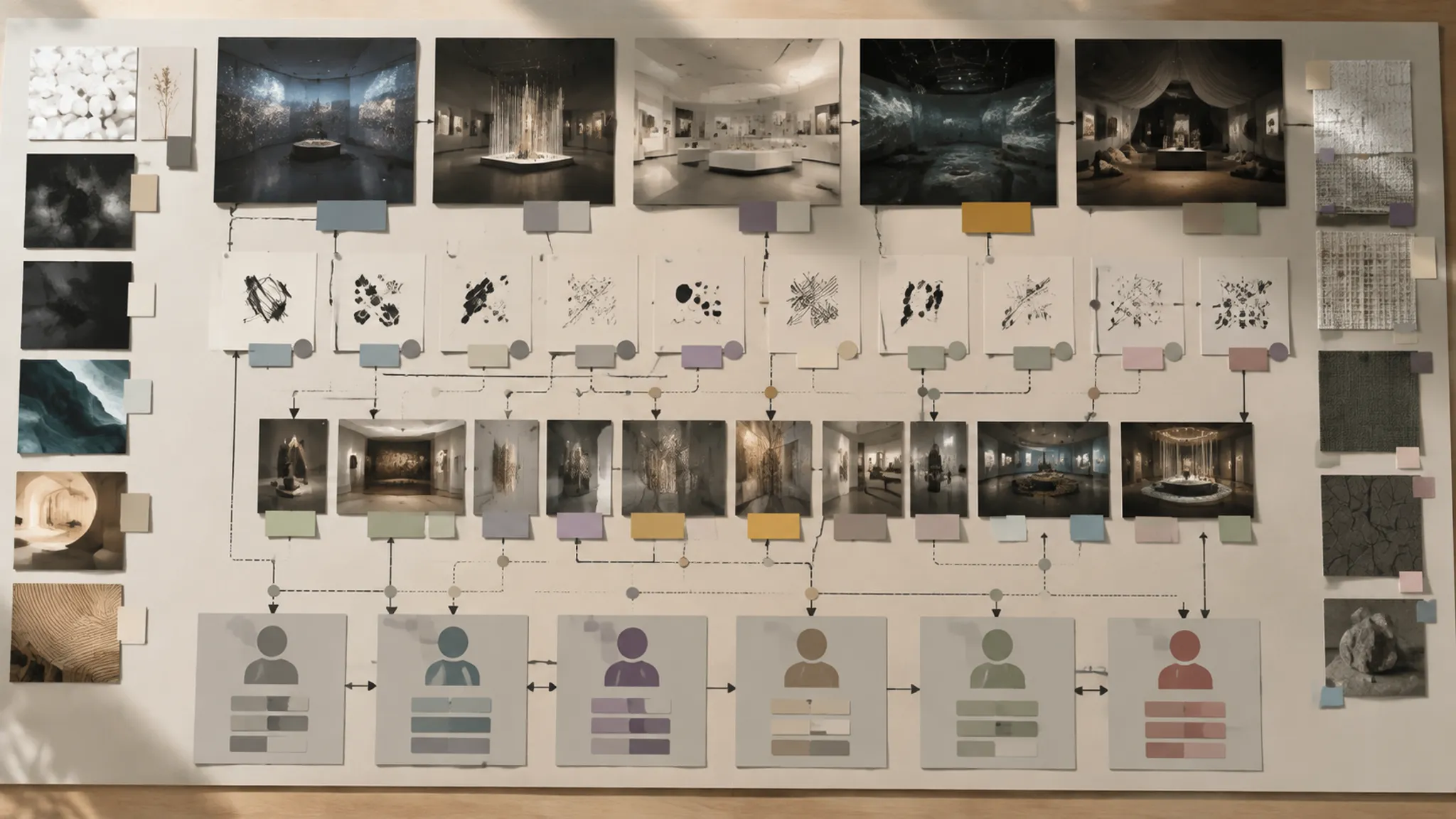
Another reviewer should be able to understand which concept version is under discussion, which visitor position applies, what question the team is answering, which options were compared, and what the material visibly shows.
The entry should also preserve the provisional interpretation, supporting source material, unknowns, receiving role, and next review stage. That level of detail does not approve the concept. It makes the next conversation specific.
The strongest record often leaves one clear unresolved question. Read it from the aisle, separate the impression from the approval, and send the remaining issue to the role responsible for it.
Sources
- Capturing design rationale | Computer-Aided Design
- Feature, specification and evidence framework for communicating design rationale | Design Science | Cambridge Core
- HODI: a technique for visually capturing and preserving design rationale
- Design decision rationale: experiences and steps ahead towards systematic use: ACM SIGSOFT Software Engineering Notes: Vol 31, No 5